Launch Your Test Campaign (ABO, 5 USD per Ad Set)
Small budgets, clean structure: each video gets its own 5 USD, so you see clearly which one sells.
The structure
2 products × 2 videos = 4 ad sets, each with 5 USD per day and one video. That is 20 USD per day for the whole test. This is called ABO (ad set budget): you decide the budget of each ad set yourself, so every video gets a fair chance.
Step 1: the campaign
In Ads Manager click + Create and choose Sales.
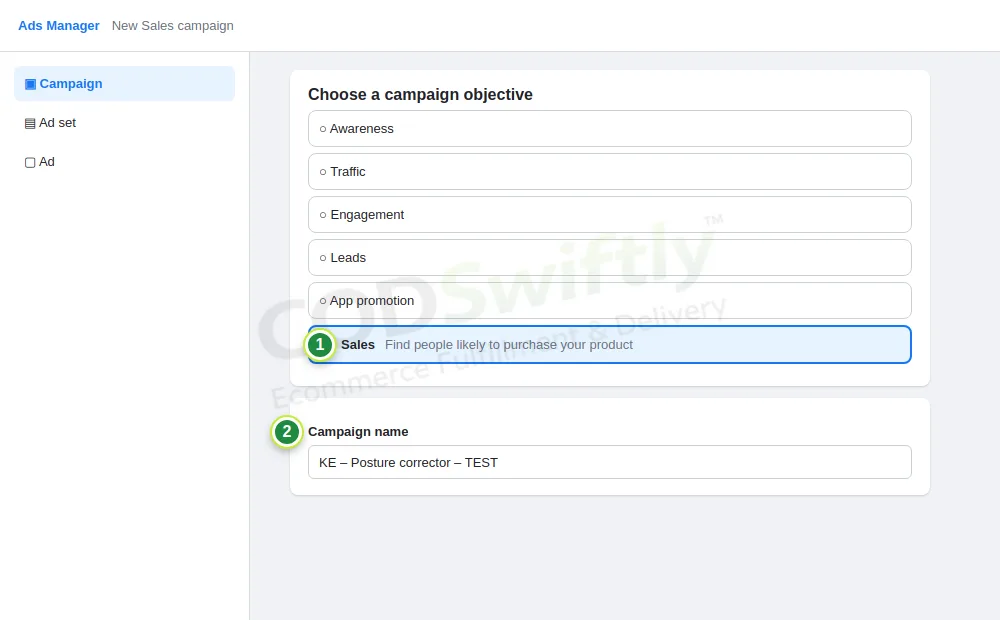
- 1Sales.
- 2A clear name: country – product – TEST.
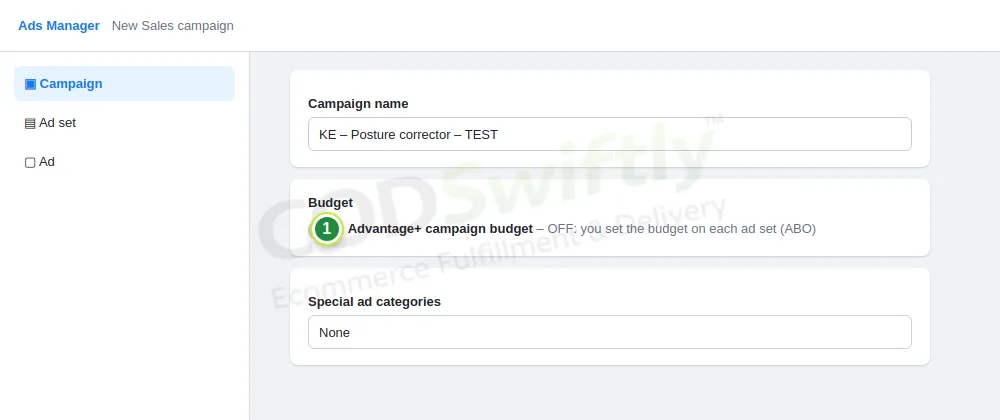
- 1Advantage+ campaign budget: OFF. The budget goes on each ad set (ABO).
Step 2: the ad set
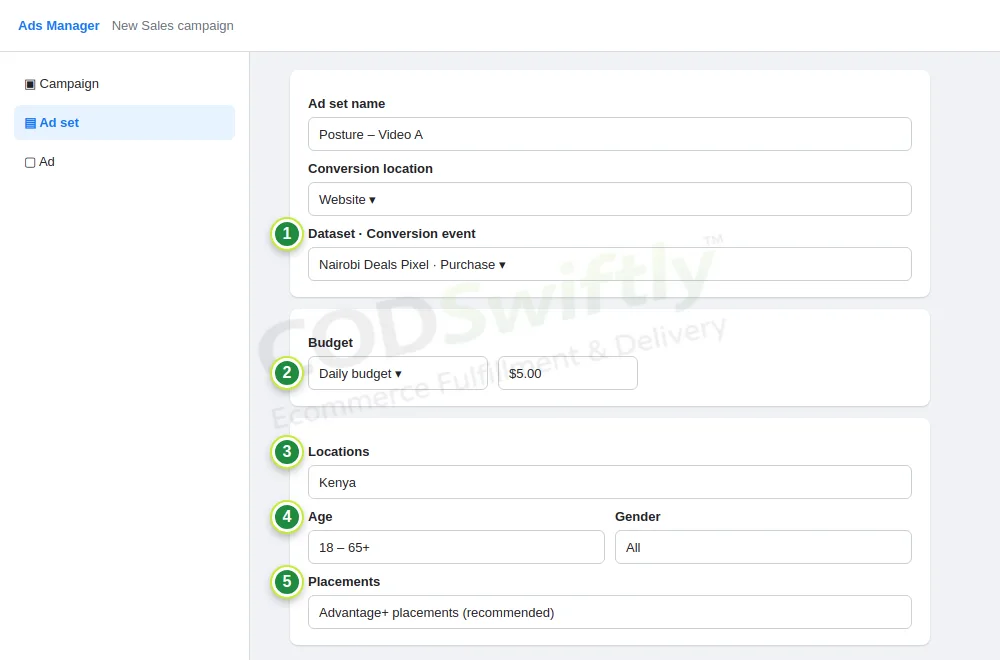
- 1Conversion: Website, your pixel, event Purchase.
- 2Daily budget: 5 USD.
- 3Location: the country of your store only.
- 4Age 18–65+, all genders: let Facebook find the buyers.
- 5Placements: Advantage+.
Step 3: the ad
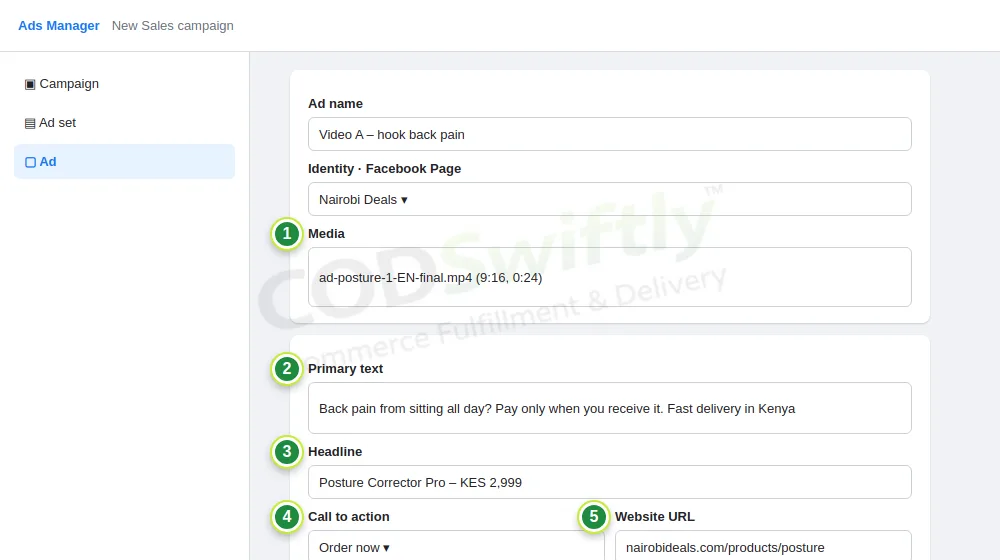
- 1Media: one video from lesson 7.
- 2Primary text: the hook, the benefit, and “pay when you receive it”.
- 3Headline: product name and price.
- 4Call to action: Order now (or Shop now).
- 5Website URL: your product page.
Publish, then duplicate the ad set 3 times and change the video and the product in each copy. Do not touch anything for 2 days: every change makes Facebook start learning again.
The numbers in the pictures are examples that show how the screens work. They are not a promise of results.
Follow the course with a real account
Create your free CODSwiftly account: storage, call center confirmation, delivery and payouts in Kenya, Tanzania, Ghana and Zambia.