
Build Your Product List and Filter It by Budget
Twenty products in a sheet, one simple filter and the calculator: you test only products that can make money with your budget.
Make the sheet
Open a new Google Sheet and write one line per product. The ZIP from Save Selected already gives you the page, the store link, the days and the text: copy them in. Then fill two columns yourself: the cost in China (search the product on Alibaba or 1688) and the weight.
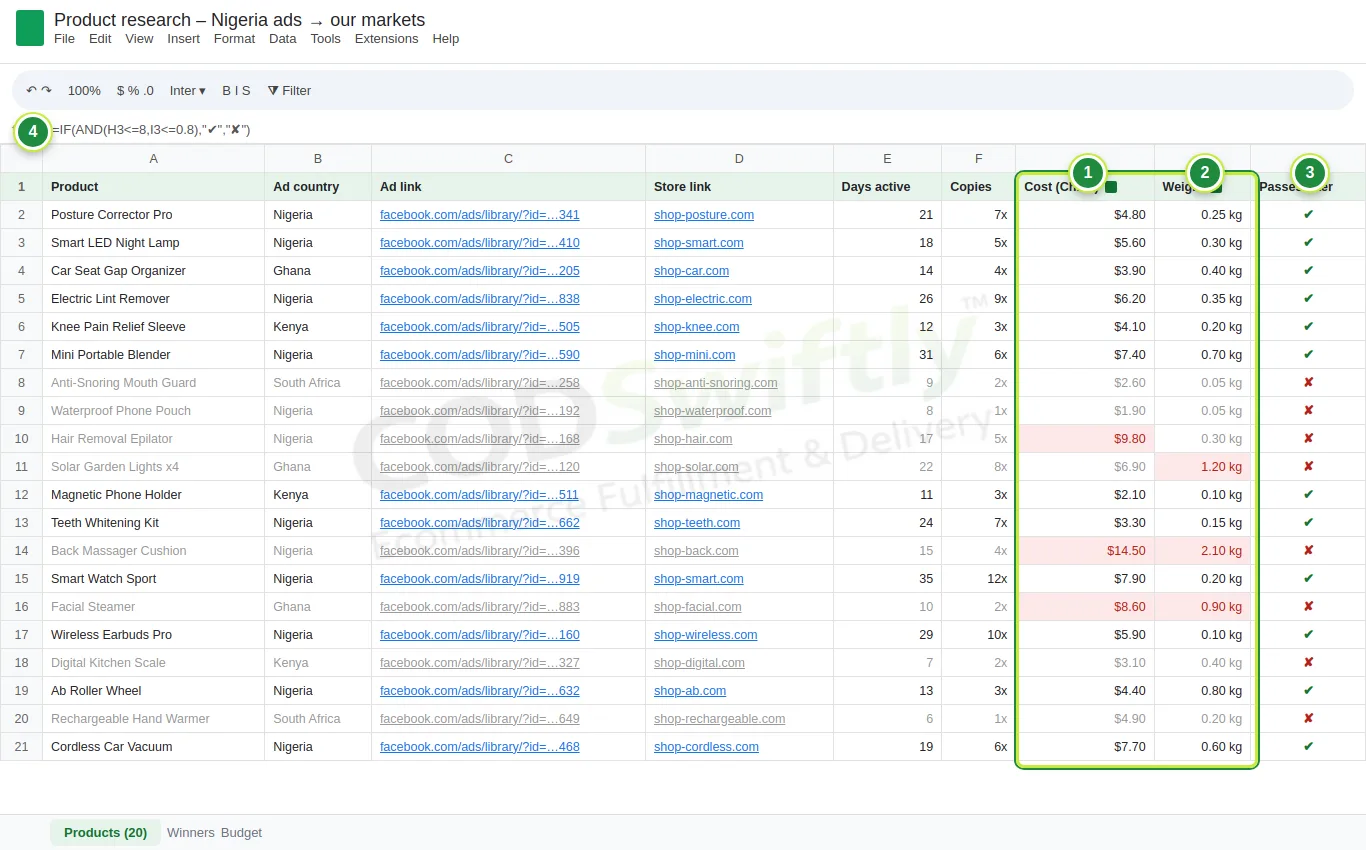
- 1Cost (China): the price of one piece.
- 2Weight: a light product costs less to ship.
- 3Passes filter: ✔ or ✘, filled by the formula.
- 4The formula: =IF(AND(H3<=8,I3<=0.8),"✔","✘"), meaning a cost of 8 USD or less and a weight of 0.8 kg or less.
Choose the filter for your budget
With a small starting budget, keep the products that cost 8 USD or less per piece and weigh 0.8 kg or less. You can test 50 pieces without blocking all your money, and shipping stays cheap. With a bigger budget, raise the limit. Then sort the ✔ lines: green badges, most days active and most copies first.
Check every product with the COD Calculator
Open COD Calculator in your CODSwiftly account. Type the selling price, the product cost and your rates, then click Use platform fees to fill our real fees for the country.
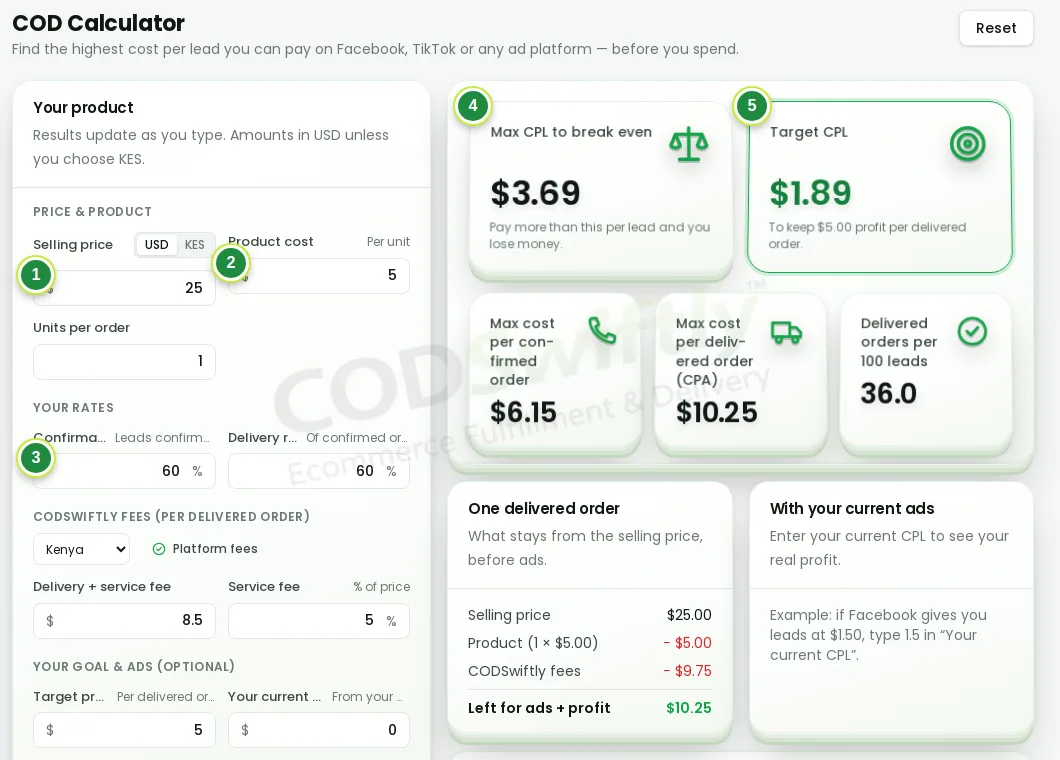
- 1Selling price.
- 2Product cost per piece.
- 3Confirmation and delivery rates: start with 60% and 60%.
- 4Max CPL to break even: above this cost per lead you lose money.
- 5Target CPL: the cost per lead to aim for, to keep your profit.
The numbers in the pictures are examples that show how the screens work. They are not a promise of results.
Follow the course with a real account
Create your free CODSwiftly account: storage, call center confirmation, delivery and payouts in Kenya, Tanzania, Ghana and Zambia.