
Order 50 Pieces from China with CODSwiftly and Relaunch
A small first order: 50 pieces are enough to prove the product with real deliveries, without risking your whole budget.
Before you start
The product must be Active in your Stock (lesson 5). Then choose how your 50 pieces will travel: with CODSwiftly Sourcing, with your own sourcing agent, or, if you have none, with the agent of CODSwiftly.
Option 1: send a sourcing request
Open Sourcing → Create Source and fill the form.
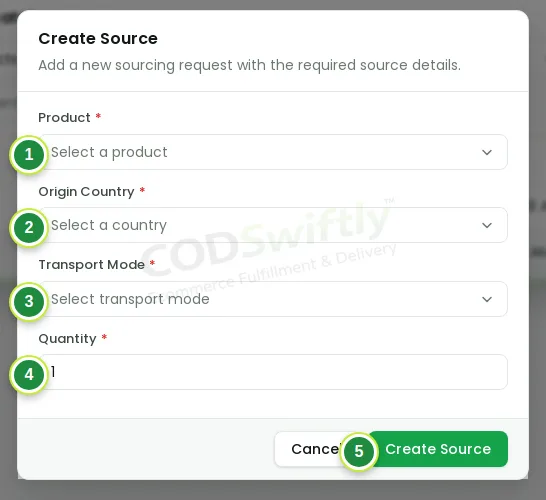
- 1Product: the product of your Stock.
- 2Origin country: China.
- 3Transport mode: air for a fast first order (sea is cheaper but slower).
- 4Quantity: 50.
- 5Create Source: the request is sent to CODSwiftly.
Your request starts as Pending: it waits for the approval of CODSwiftly. Our team finds the product at the supplier and sends you the price (product and transport). When you agree and pay, the request moves on.
Follow the request until it arrives
Every request shows its status. You do not need to ask: the page changes by itself.
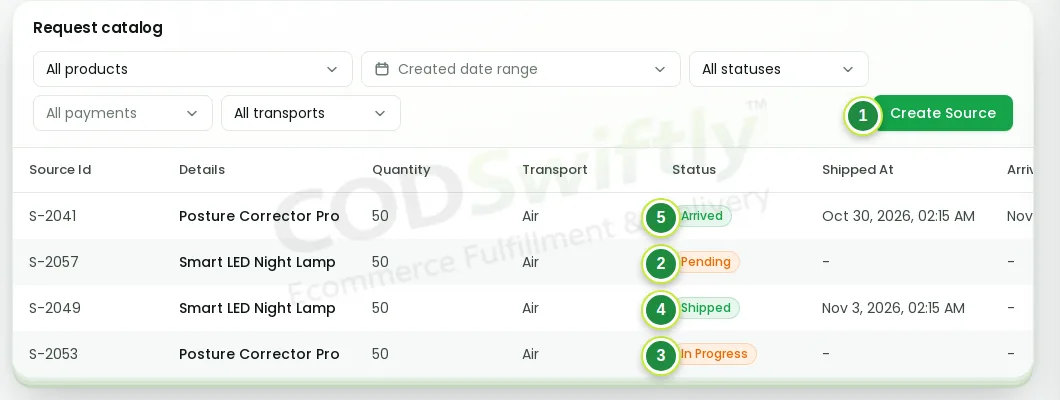
- 1Create Source: a new request.
- 2Pending: waiting for the approval of CODSwiftly.
- 3In Progress: approved, the product is being bought and prepared.
- 4Shipped: on the way to our warehouse.
- 5Arrived: the units are added to your stock.
The transport (cargo) cost is set when the stock arrives. It can be taken from your next withdrawals: you see it in Finance under “Cut for debt”.
Option 2: your own sourcing agent, with our carton label
You already buy in China with an agent? Open your product in Stock and click Carton label. Download it and send it to your agent: one label on every carton. With this label the cargo knows where to send the cartons, and our warehouse knows which product and which seller they belong to.
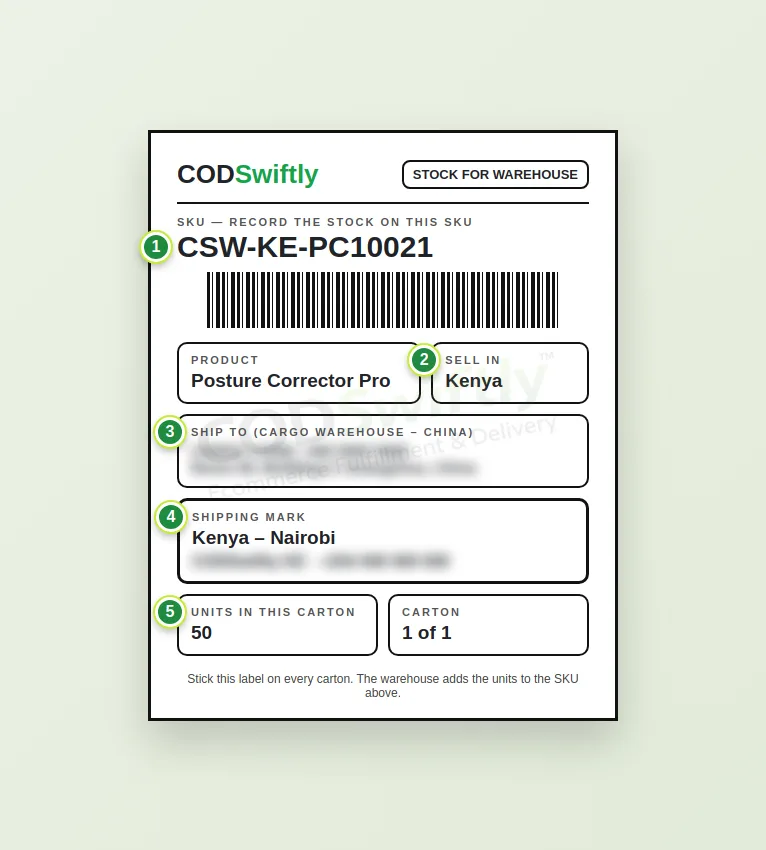
- 1The SKU of your product: the warehouse records the stock on this code.
- 2The country where you sell.
- 3The cargo address in China (hidden here, it is printed on your label).
- 4The shipping mark and phone of the receiver (hidden here).
- 5Units in this carton: your agent writes it.
Option 3: no agent? Contact CODSwiftly on WhatsApp
If you have no sourcing agent, write to CODSwiftly on WhatsApp. We give you the contact of the agent we work with, or, if you prefer, we take care of everything: buying, labels and transport to our warehouse.
For any question about a request, you can also open Support → New ticket.
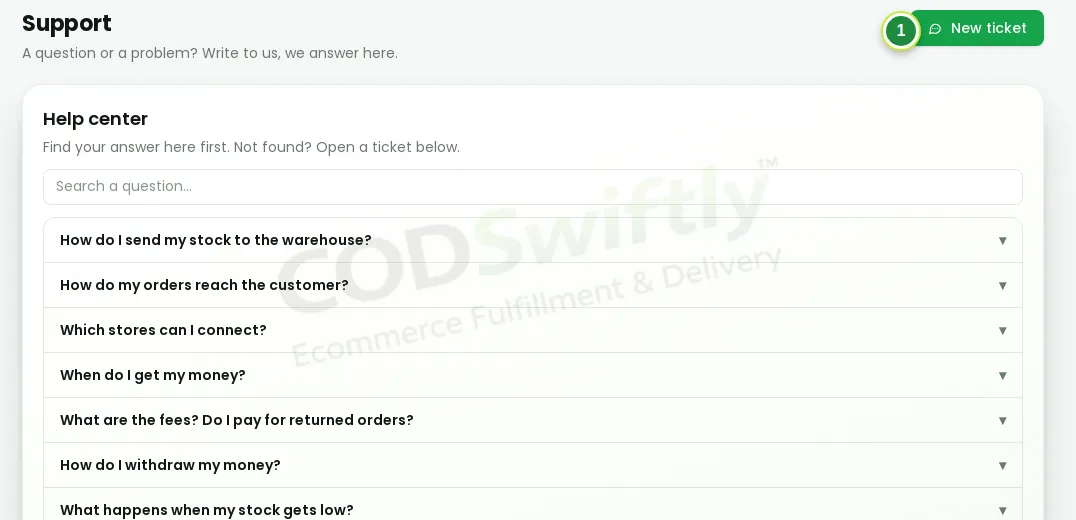
- 1New ticket: write to our team.
The stock arrives: relaunch
When the cartons reach the warehouse, the units go into your product.
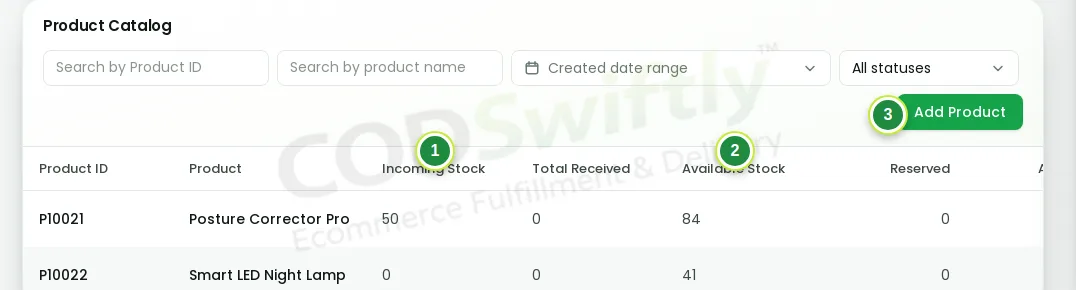
- 1Incoming stock: on the way.
- 2Available stock: in the warehouse, ready to be delivered.
- 3Add Product: add your next product.
Turn your winning ad sets back on. CODSwiftly warns you when a product goes down to 20, 10 and 0 pieces: order the next stock before it runs out, and count the shipping time.
The numbers in the pictures are examples that show how the screens work. They are not a promise of results.
Follow the course with a real account
Create your free CODSwiftly account: storage, call center confirmation, delivery and payouts in Kenya, Tanzania, Ghana and Zambia.