
Product Page, EasySell COD Form and Landing Page
One product, one page, one button. The customer understands the offer in 3 seconds and orders without paying online.
Choose the theme
Open Online Store → Themes. The free theme Dawn is fast and clean on the phone, and most of your customers are on a phone. Add your logo and your colours in Customize.
Add the product
Go to Products → Add product and fill in each part.
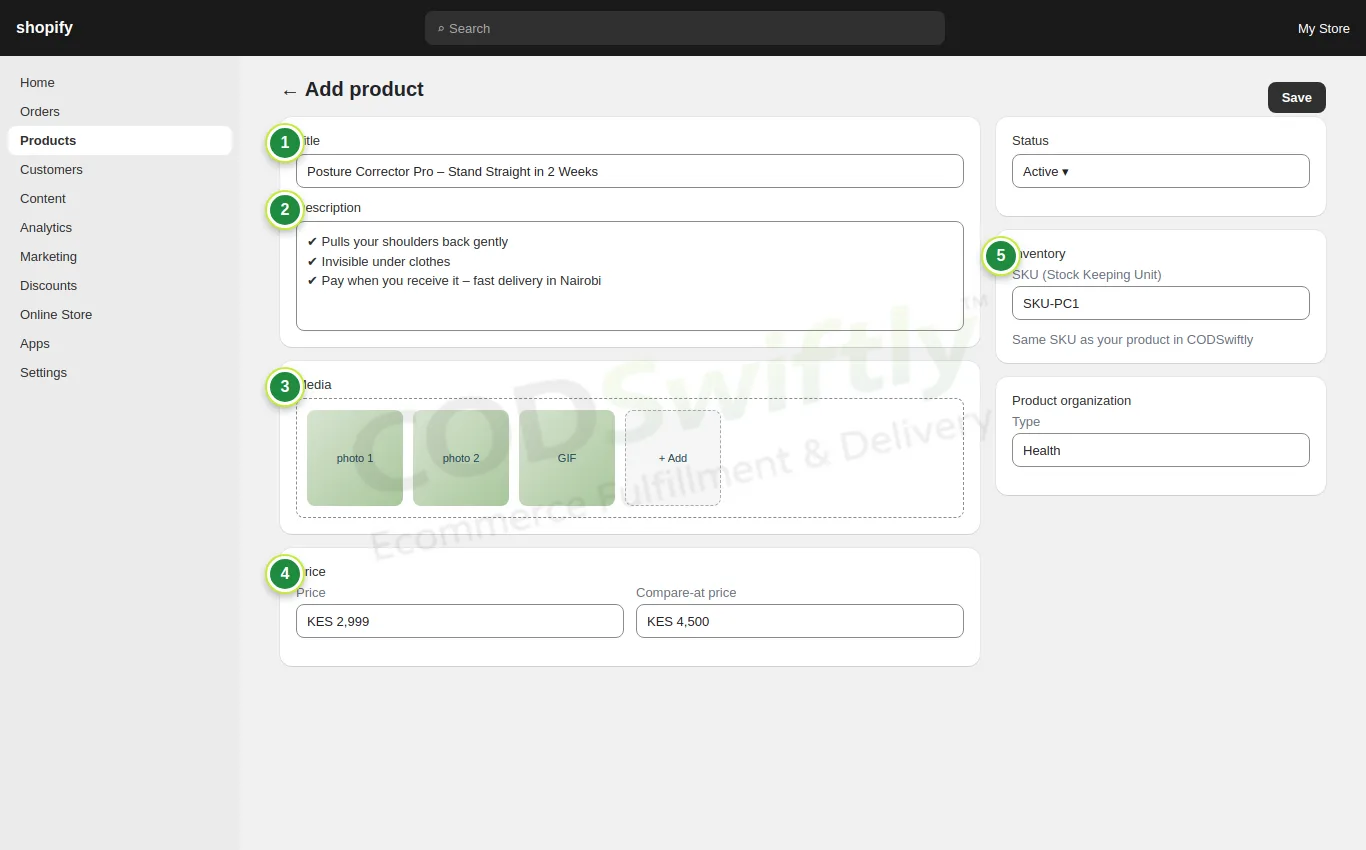
- 1Title: the product name and its main benefit.
- 2Description: 3 short benefits, no long text.
- 3Media: clear photos and a GIF of the product in use (from the ZIP of lesson 1, or your own).
- 4Price and compare-at price: the old price crossed out shows the offer.
- 5SKU: write exactly the same SKU as your product in CODSwiftly (lesson 5). Orders are matched by SKU.
Install EasySell COD Form
The normal Shopify checkout is long and asks for many details. COD sellers use a COD form app so the customer orders right on the product page in a few seconds. The most used one is EasySell COD Form & Upsells: open the Shopify App Store, search “EasySell”, click Install (check its current plans in the App Store).
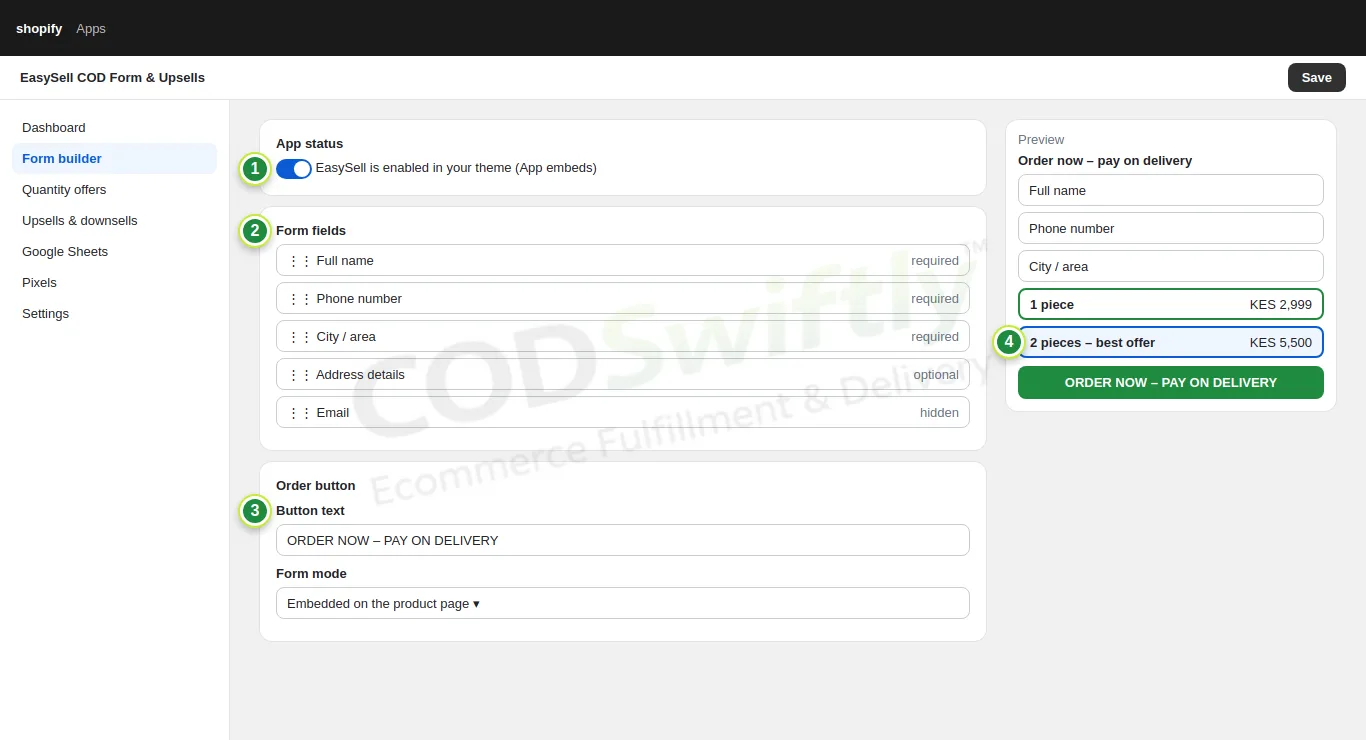
- 1App status: turn on EasySell in your theme (Online Store → Themes → Customize → App embeds).
- 2Form fields: full name, phone and city required, email hidden. Fewer fields = more orders.
- 3Button text: “ORDER NOW – PAY ON DELIVERY”.
- 4Quantity offers: 1 piece, and 2 pieces at a better price. Many customers take the offer, so each delivery brings more money.
In Upsells & downsells you can also offer a second product after the order. Keep it simple at the start: one offer is enough.
Put the form on the product page
Open Online Store → Themes → Customize, go to the product template and add the EasySell app block right under the price.
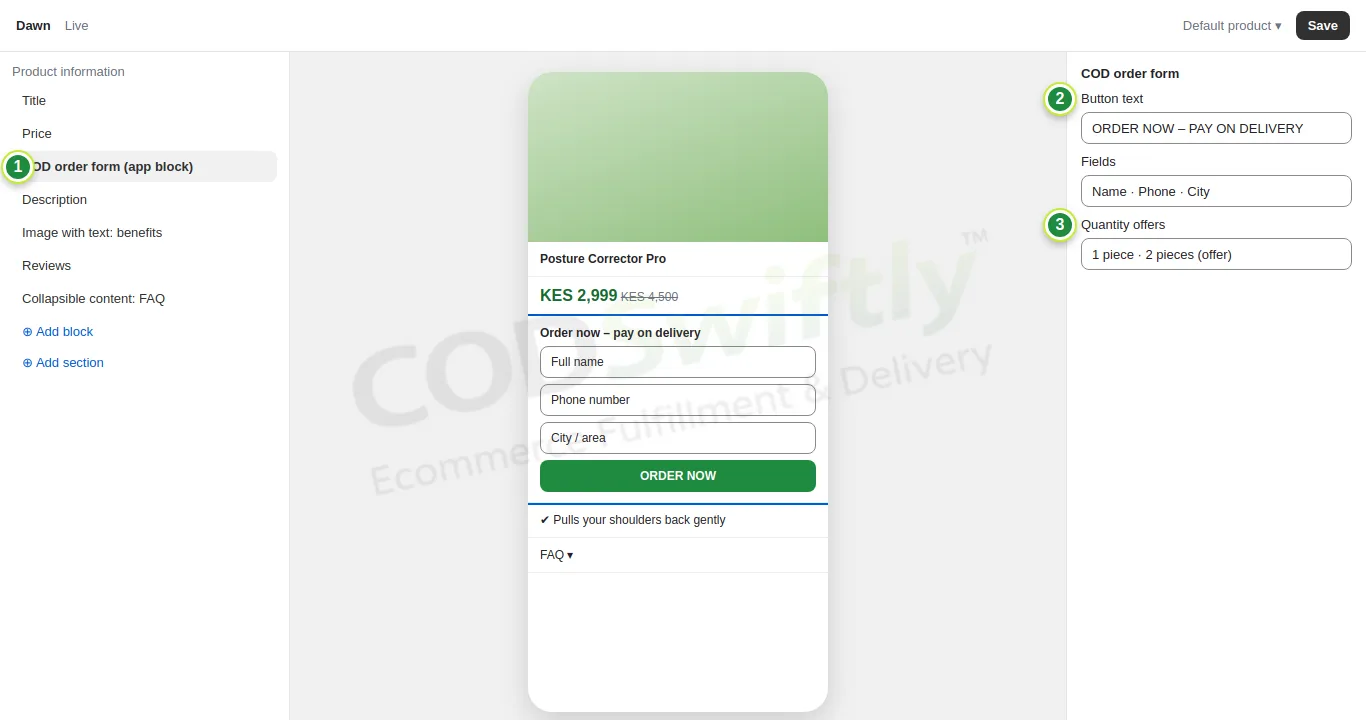
- 1The COD order form app block, placed under the price.
- 2Button text.
- 3Quantity offers shown in the form.
The 6 blocks of a landing page that sells
On the phone, the page must answer the customer’s questions in this order. Add the blocks with Add section in the theme editor.
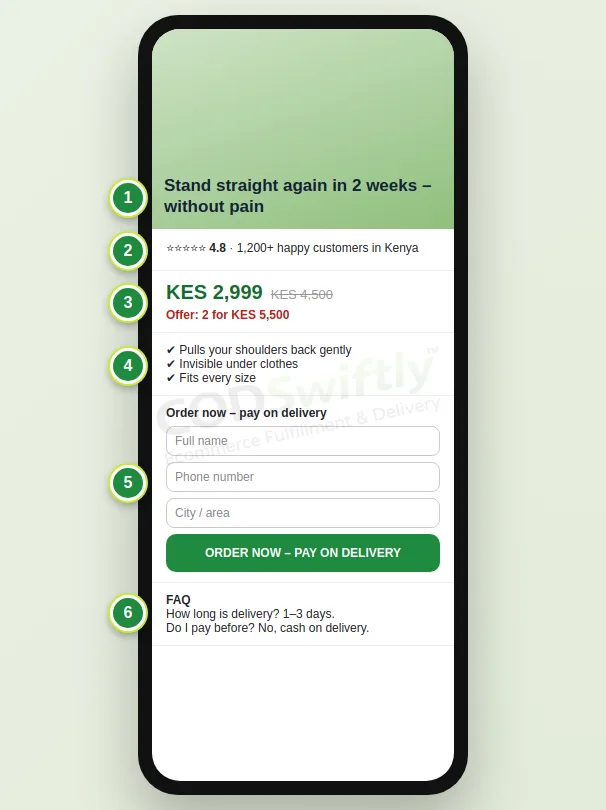
- 1Hook and main photo: the problem and the promise in one line.
- 2Proof: stars, number of customers, short reviews.
- 3Price and offer: old price crossed out, an offer for 2 pieces.
- 4Benefits: 3 short lines with photos or GIFs of the product in use.
- 5Order form: name, phone, city and one button “Order now – pay on delivery”.
- 6FAQ: delivery time, payment on delivery, returns.
The numbers in the pictures are examples that show how the screens work. They are not a promise of results.
Follow the course with a real account
Create your free CODSwiftly account: storage, call center confirmation, delivery and payouts in Kenya, Tanzania, Ghana and Zambia.