
Create Your Shopify Store, Step by Step
A COD store needs a few settings that most tutorials forget. Do them once, in this order, and your store is ready.
Open the account
Go to shopify.com, click Start free trial and sign up with your email. Shopify asks a few questions: you can skip them. Choose a plan when the trial ends (check the current offer on the Shopify site).
Store name, currency and time zone
Open Settings → General.
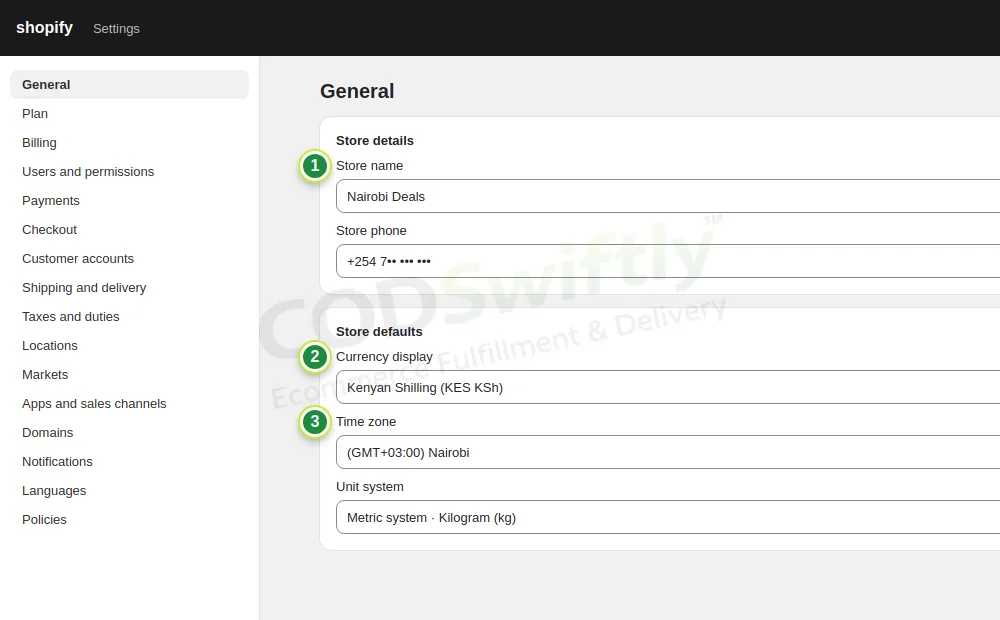
- 1Store name: short and easy, it can be different from your domain.
- 2Currency: the currency of the country you sell in (KES Kenya, TZS Tanzania, GHS Ghana, ZMW Zambia).
- 3Time zone: the time of that country, so your orders show the right hour.
Sell in another country later? Open a second store, or use Shopify Markets with one currency per country.
Turn on Cash on Delivery
Open Settings → Payments. You do not need an online payment provider. Under Manual payment methods, choose Cash on Delivery (COD).
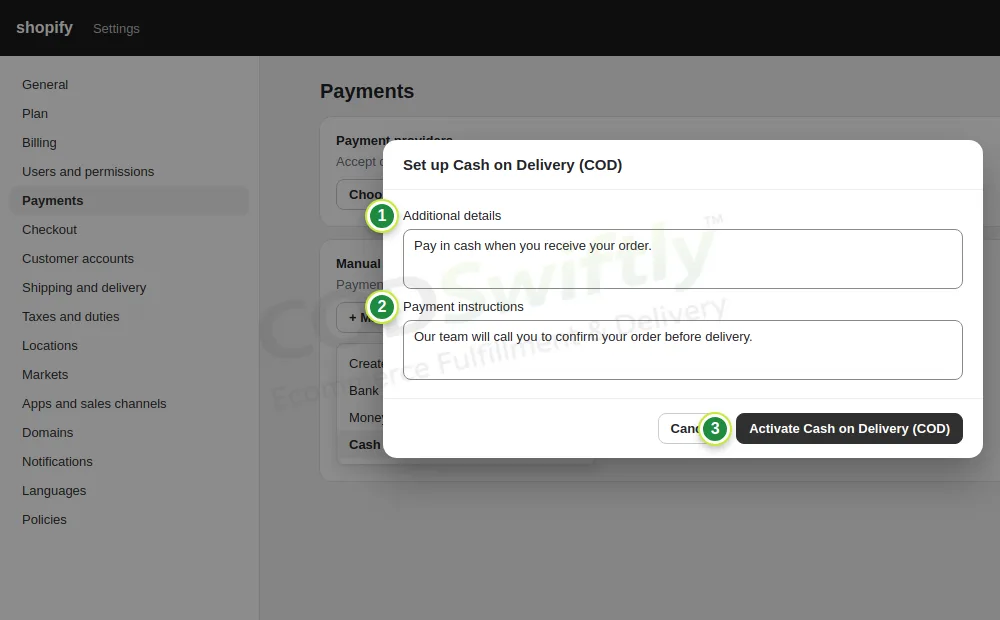
- 1Additional details: “Pay in cash when you receive your order.”
- 2Payment instructions: “Our team will call you to confirm your order before delivery.”
- 3Activate Cash on Delivery (COD).
Ask for the phone number, not the email
Open Settings → Checkout. Our call center needs a phone number for every order.
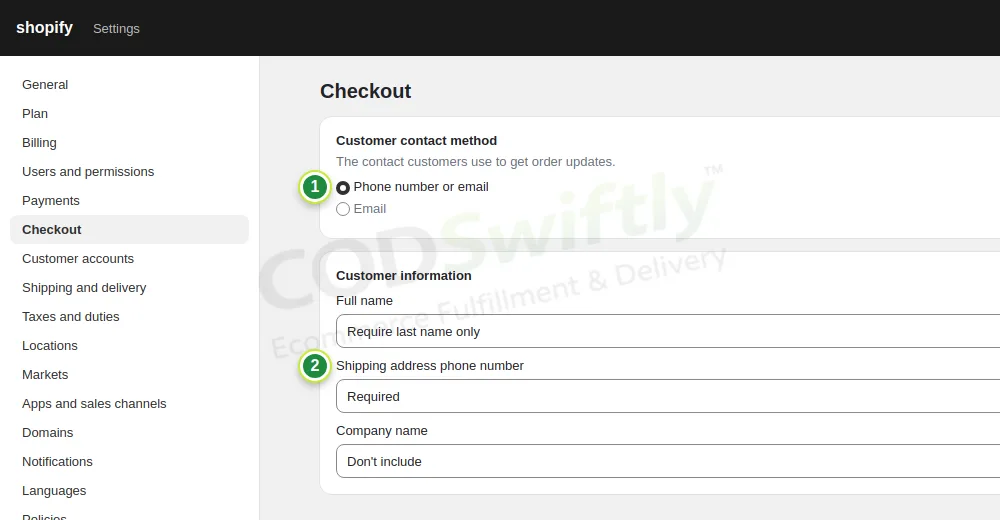
- 1Customer contact method: Phone number or email.
- 2Shipping address phone number: Required.
Delivery price
Open Settings → Shipping and delivery, then Manage on General shipping rates. Add your country as a zone and a rate. Most COD stores show free delivery and put the delivery cost inside the product price.
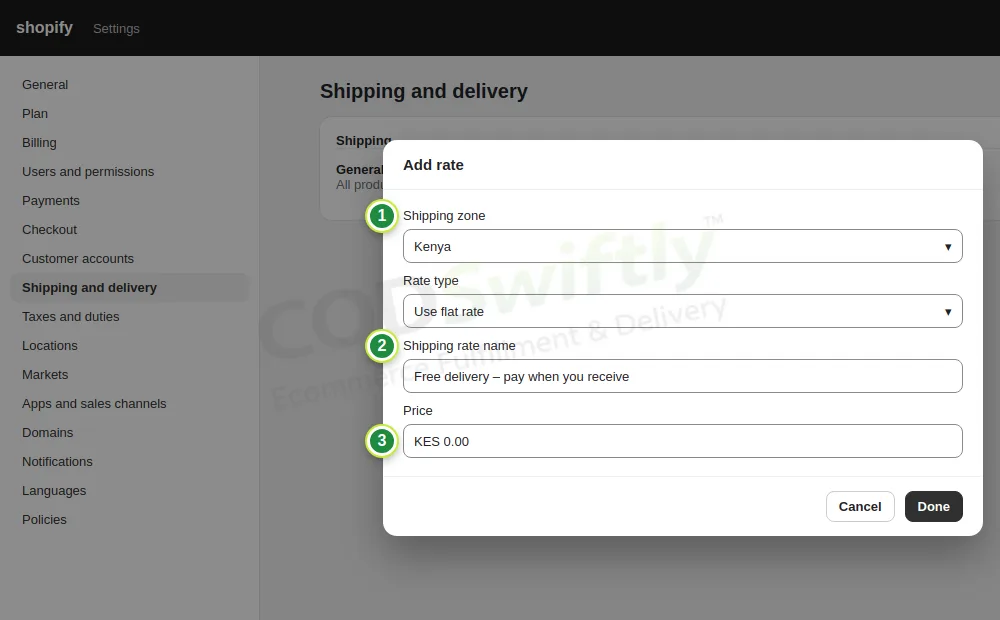
- 1Shipping zone: the country you sell in.
- 2Rate name: “Free delivery – pay when you receive”.
- 3Price: 0.
Policies, contact and domain
Open Settings → Policies: create the refund, privacy, terms and shipping policies (Shopify gives templates; write your real delivery time and return rule) and add your contact information. Facebook checks these pages before it accepts your ads.
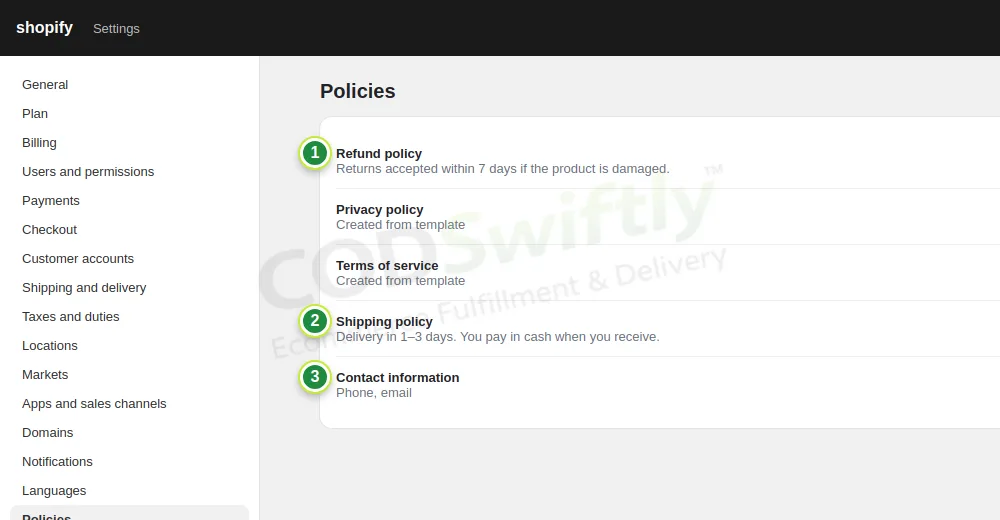
- 1Refund policy: when a customer can return the product.
- 2Shipping policy: delivery time and payment on delivery.
- 3Contact information: phone and email.
Then open Settings → Domains → Buy new domain and take a short .com name. Your ads look more serious with your own domain than with “myshopify.com”.
The numbers in the pictures are examples that show how the screens work. They are not a promise of results.
Follow the course with a real account
Create your free CODSwiftly account: storage, call center confirmation, delivery and payouts in Kenya, Tanzania, Ghana and Zambia.